
Create an Employee Survey in Zoho People
Here is our approach for creating an employee survey in Zoho People in a simple way.
Even a non-technical person can easily set it up in just a few steps.

Approach
We can create and publish an employee survey in Zoho People using the following steps.
1. Creating an Employee Survey
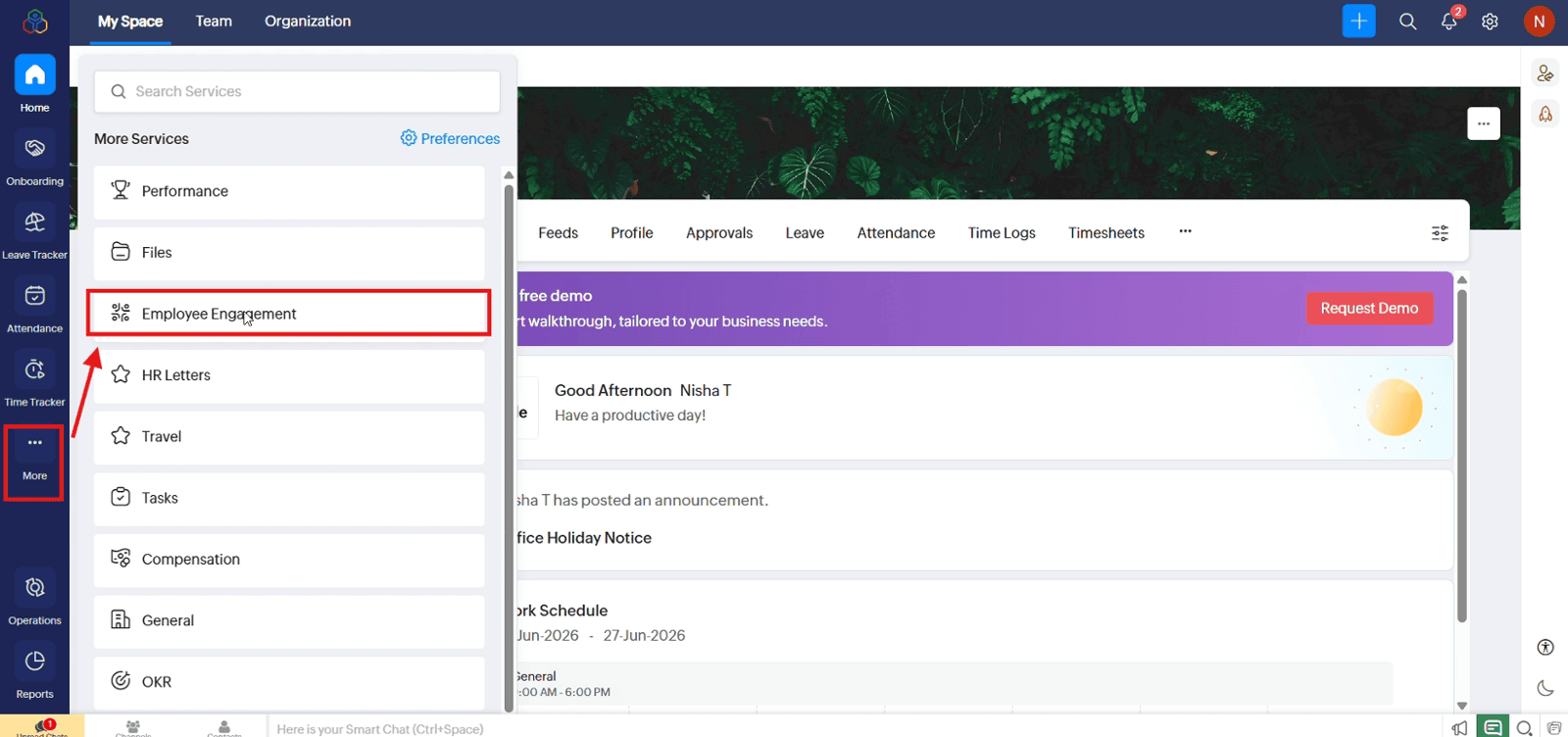
1.1 From the "More" menu, open "Employee Engagement"
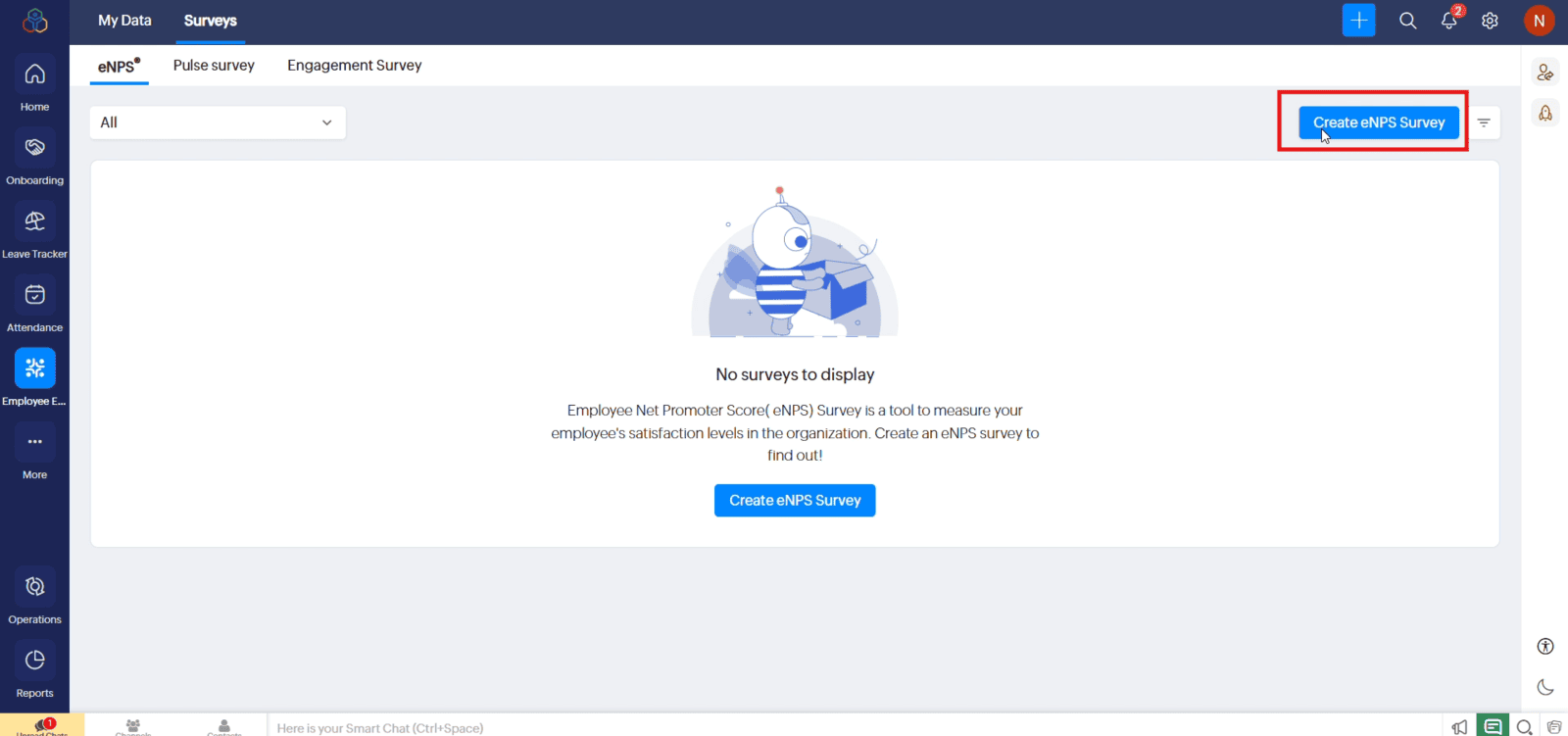
1.2 Under "Surveys", click "Create eNPS Survey"
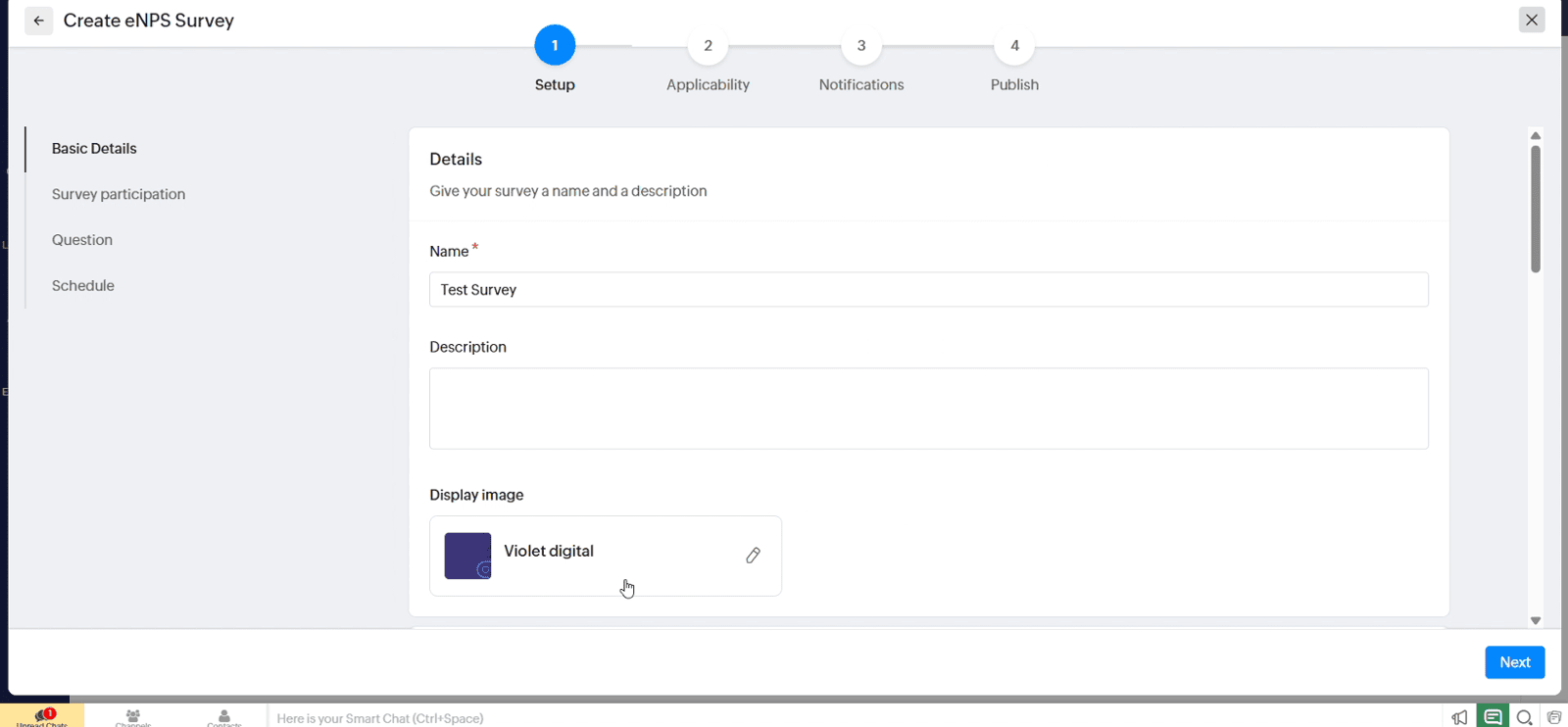
1.3 Enter the survey name and description, and select a display image if required
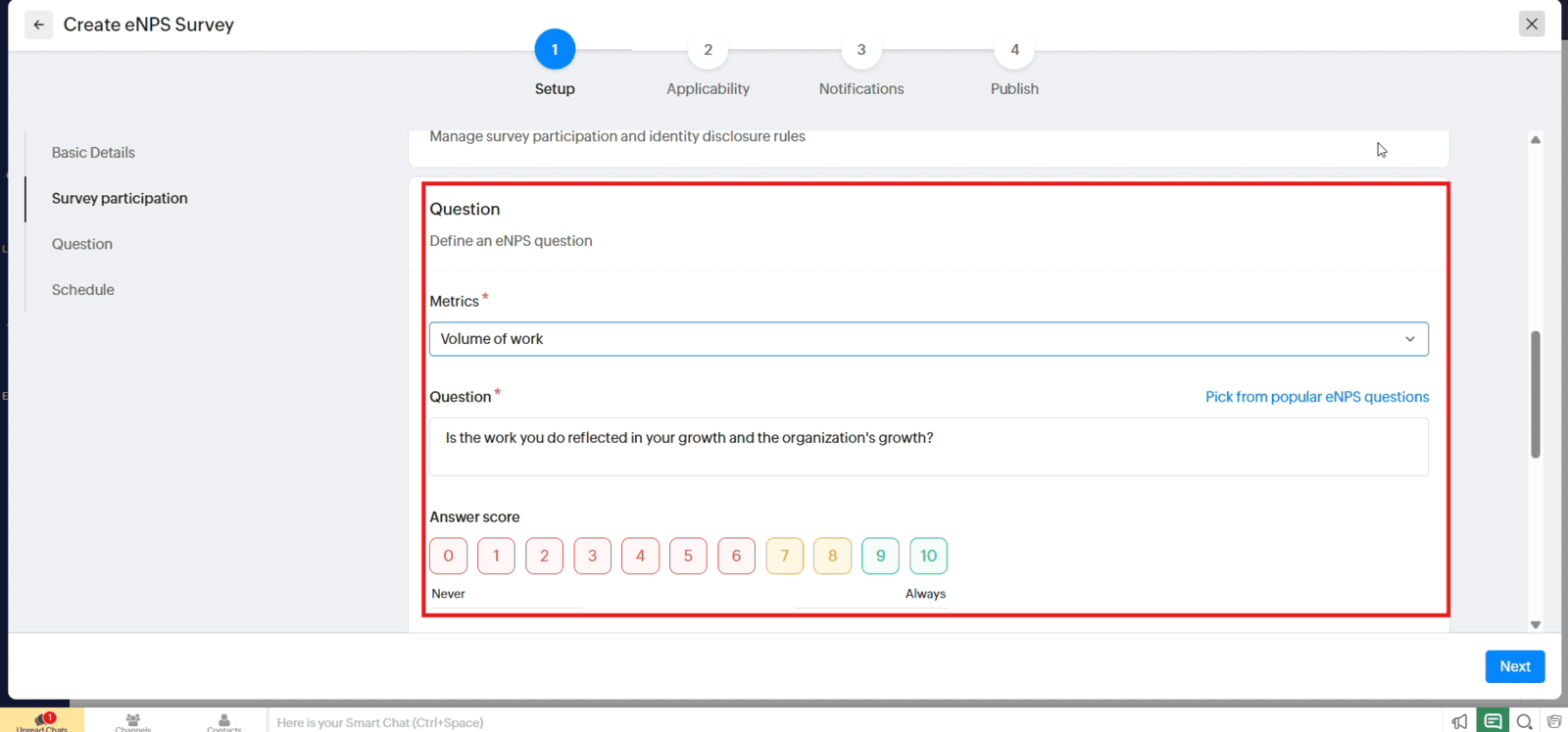
1.4 Select a metric, enter the survey question or choose a popular eNPS question
1.5 Choose whether the survey runs during a specific period or can be started and stopped manually, then click "Next"
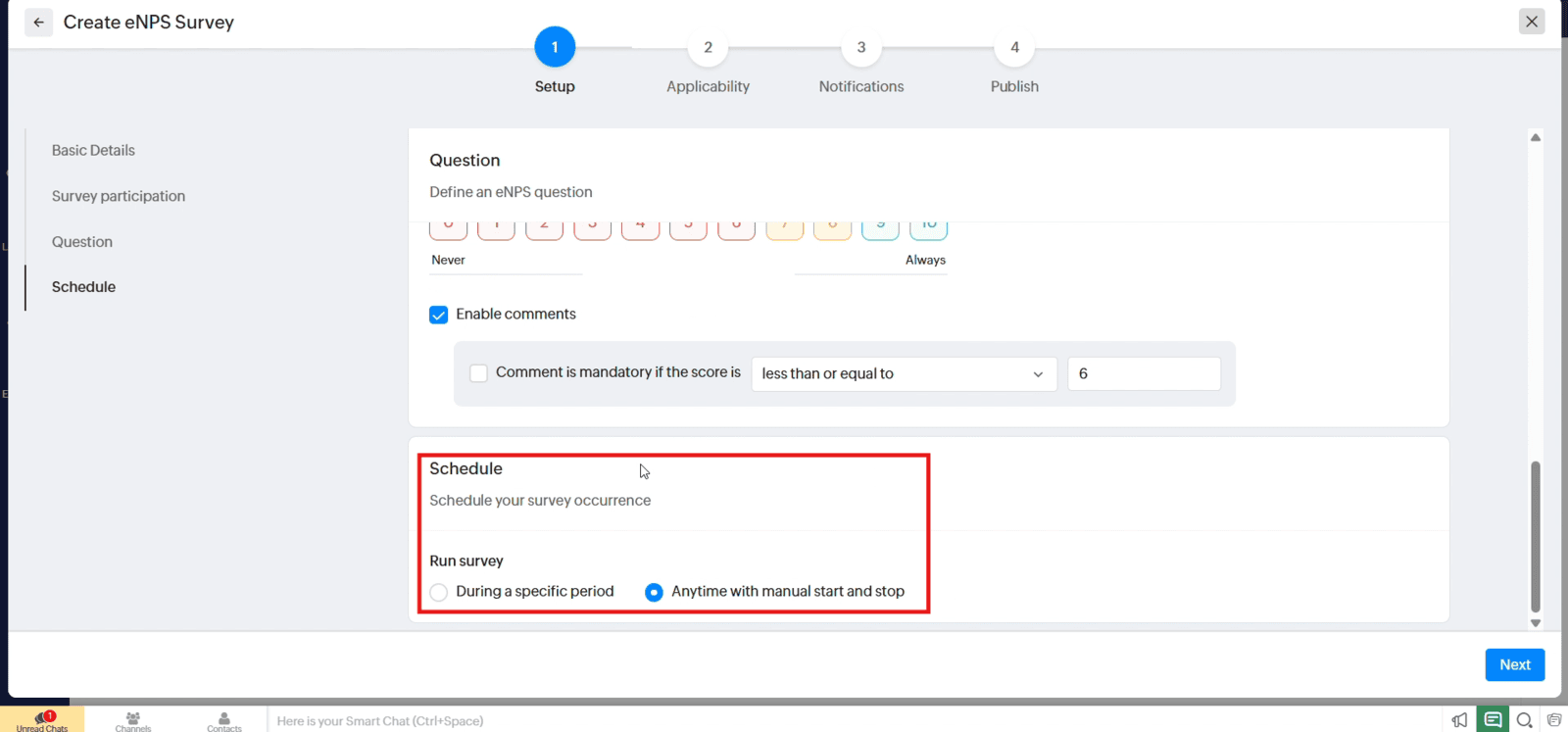
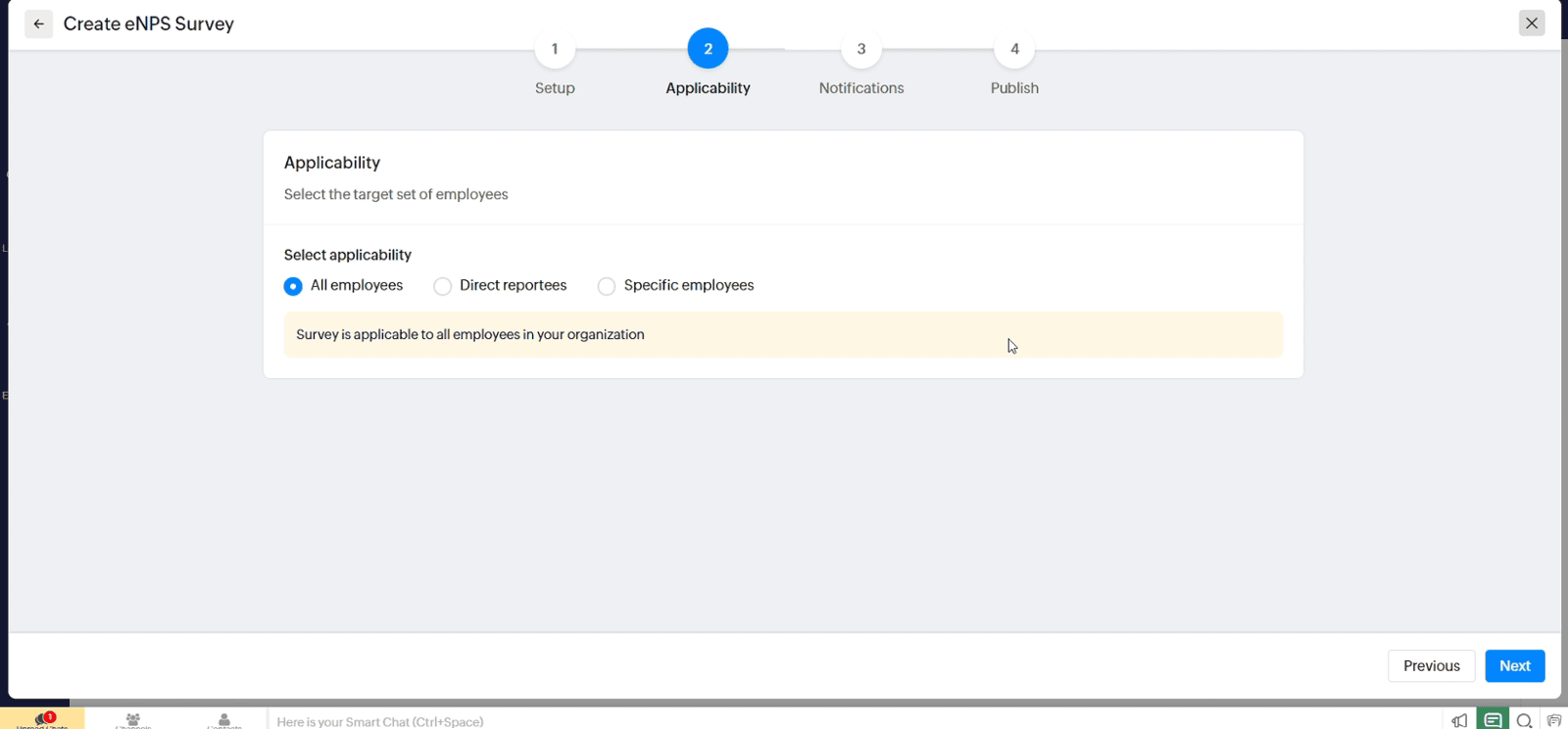
1.6 Select the employees who can participate
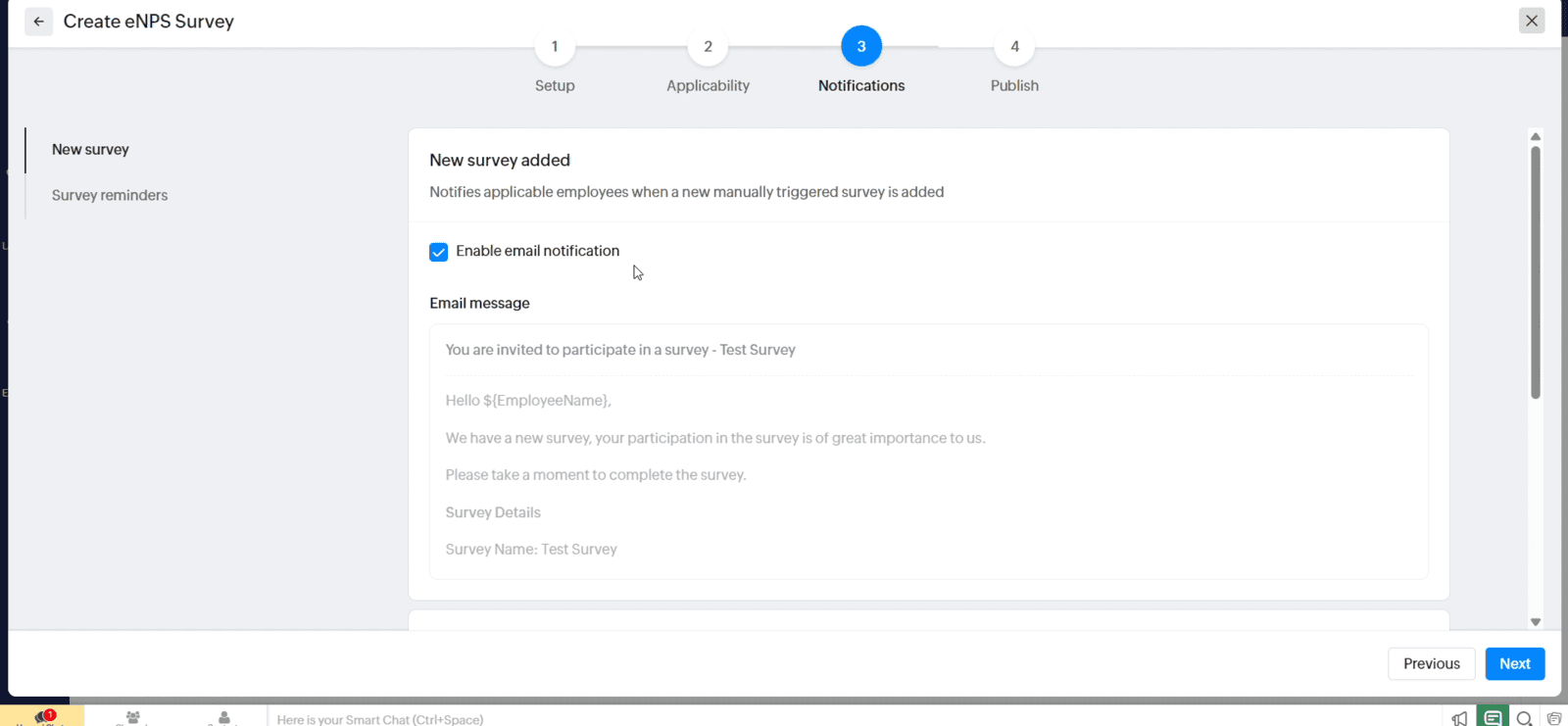
1.7 Configure email notifications for new surveys then click "Next"
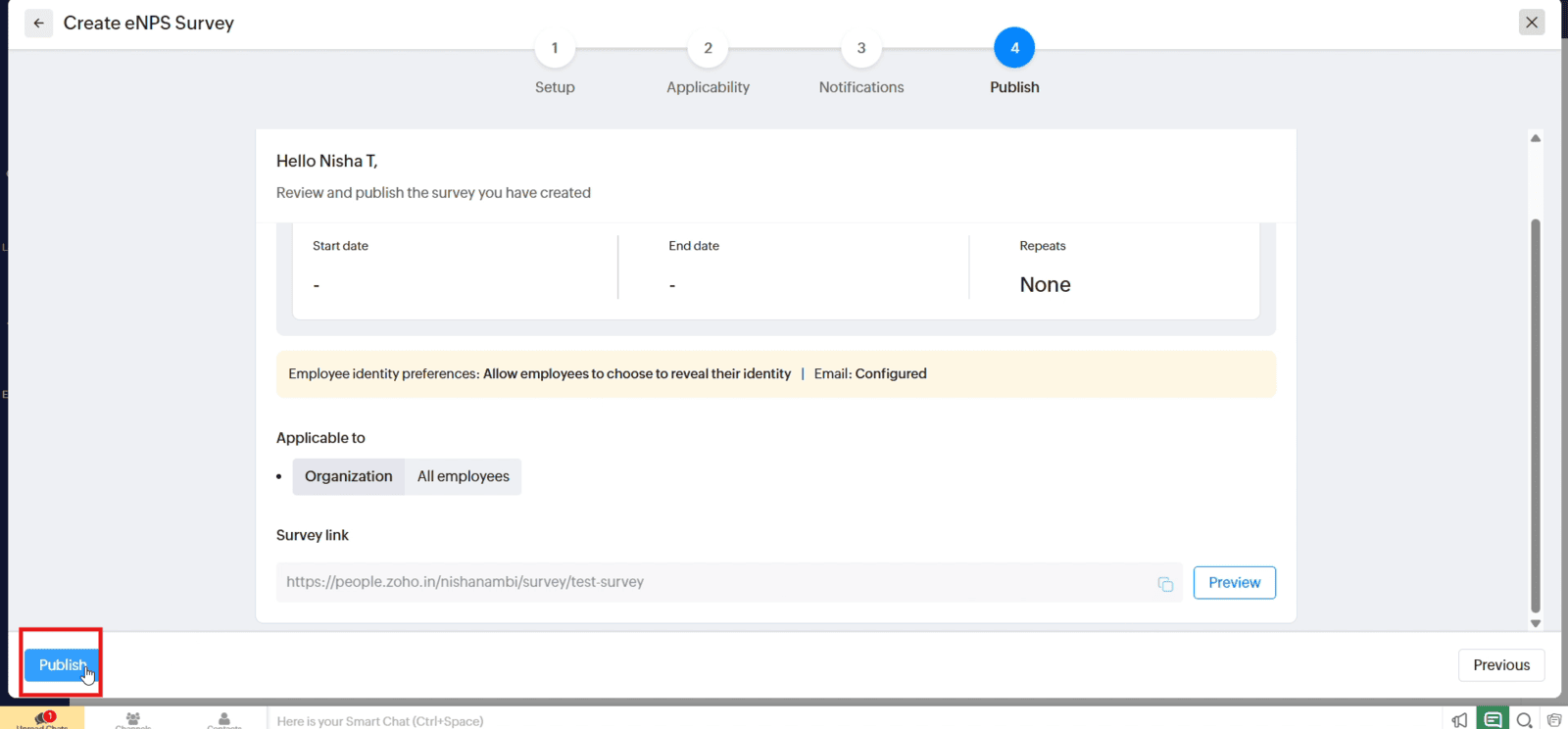
1.8 Review the survey settings and publish the survey
Video: Create an Employee Survey in Zoho People
Here is the video explanation of the above steps.


